
Plan a week of dinners and fill your grocery cart with AI
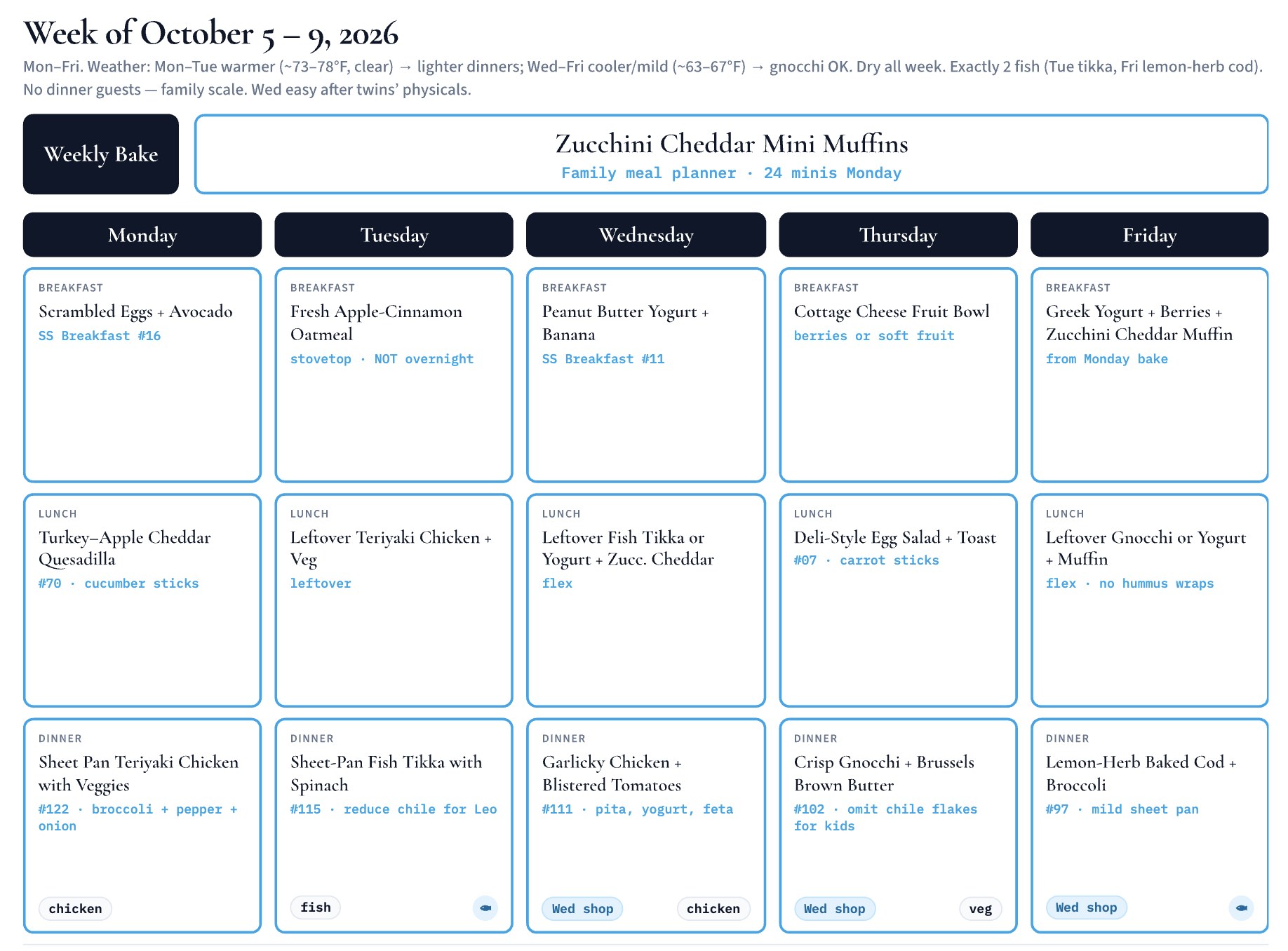
Matt Griswold's AI agent sends his family 15 dinner ideas every Sunday. They pick 5 to 7, and it fills their grocery pickup cart, putting quick meals on busy nights. He says it saves 2 to 3 hours a week. One skeptic replied that most of that saving comes from ordering online at all. Pictured: a weekly plan from Lyndall Schreiner, who runs a similar setup.
Workflow
1. Log the agent into your grocery store's website and have it review your past orders so it learns your brands and sizes. Without order history, expect to fix more items at first. One person who tried couldn't get past the store's login check. 2. Give it your family calendar so it puts quick meals on busy nights. 3. Each week, have it suggest about 15 dinners. Pick the 5 to 7 you want. 4. Have it fill the cart, reuse ingredients across meals, check which pantry staples you already have, and email you that week's recipes. 5. Review the cart and pick a pickup time yourself. Griswold tells his agent not to check out. 6. Save the meals you liked so it brings them back. For a head start, Lyndall Schreiner shared her own meal-planning Grok Bot template at x.ai/bot/dHdfbaNGz_LpSdKUhptdd.
Tools
Grok Bot (plans the meals and shops on the grocery site), an online grocery account (he uses H-E-B pickup), a shared family calendar