
Save $3,500 a year on car insurance
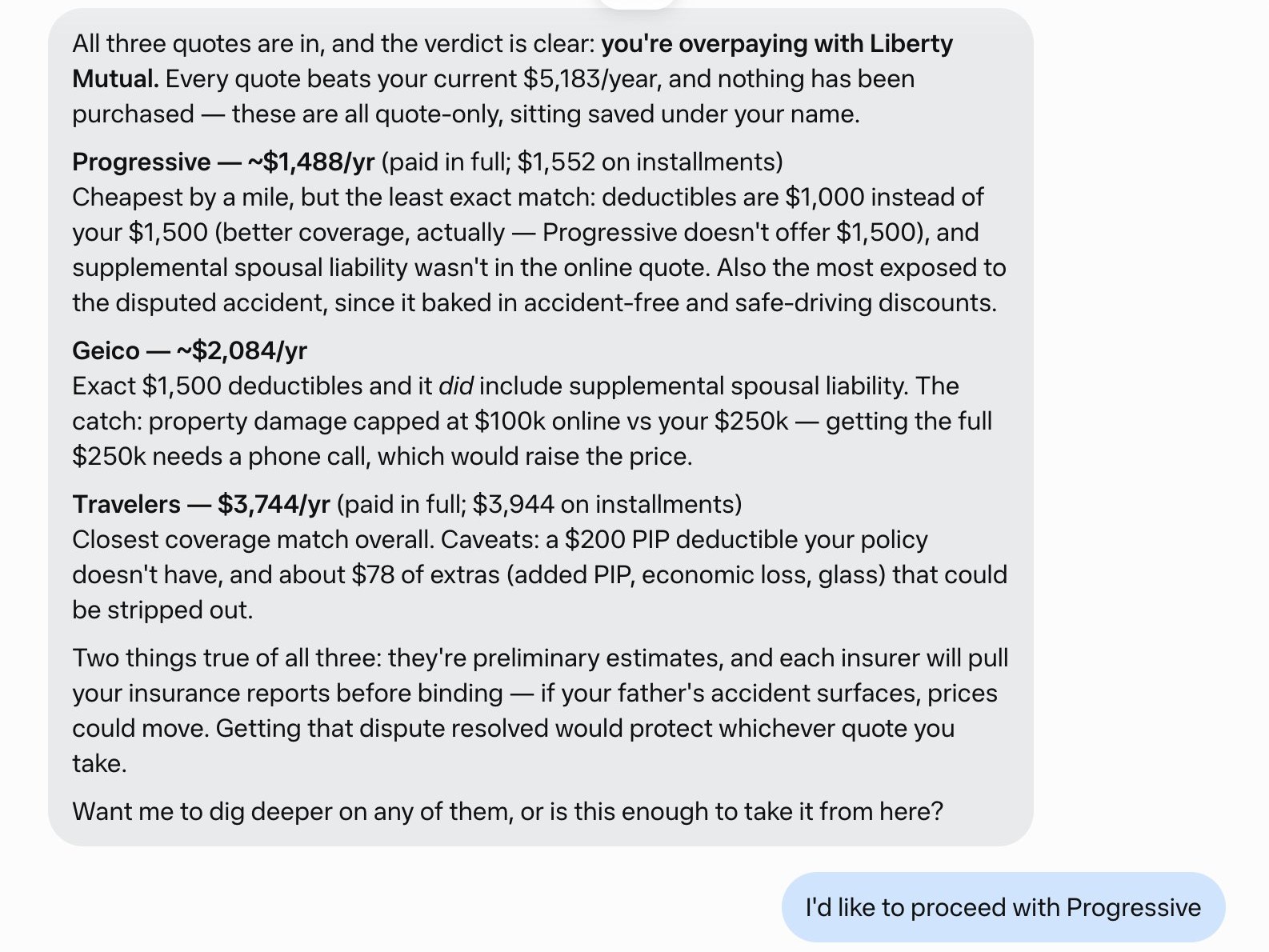
Joe Devoy uploaded his auto insurance policy to Meta's Muse agent and asked for a better price on the same coverage. He says it found a policy saving him $3,500 a year, bought it, and canceled his old one. His own screenshot shows the cheapest quote wasn't an exact match, so check the details before you switch.
Workflow
1. Download your current policy's declarations page. It lists your coverage, limits, deductibles, drivers, and cars. 2. Upload it to the agent with the prompt Devoy used: "Find me a better priced auto insurance than my current policy (attached). I'd like to keep the coverage the same" 3. Answer its follow-up questions. Results vary: one person spent over 15 minutes on questions and got back a single quote that cost more than his current policy. 4. Compare each quote line by line, not just the price. Devoy's cheapest quote had different deductibles and left out a liability add-on his old policy included. 5. Pick the quote you want. Devoy's agent took it to checkout, where it asked for his driver's license. 6. Keep your old policy until the new one is confirmed in writing. Devoy says he got an email confirmation and the written policy.
Tools
Meta Muse (AI agent that reads your policy, gathers quotes, and can complete the purchase), your current policy's declarations page